

Key Takeaways
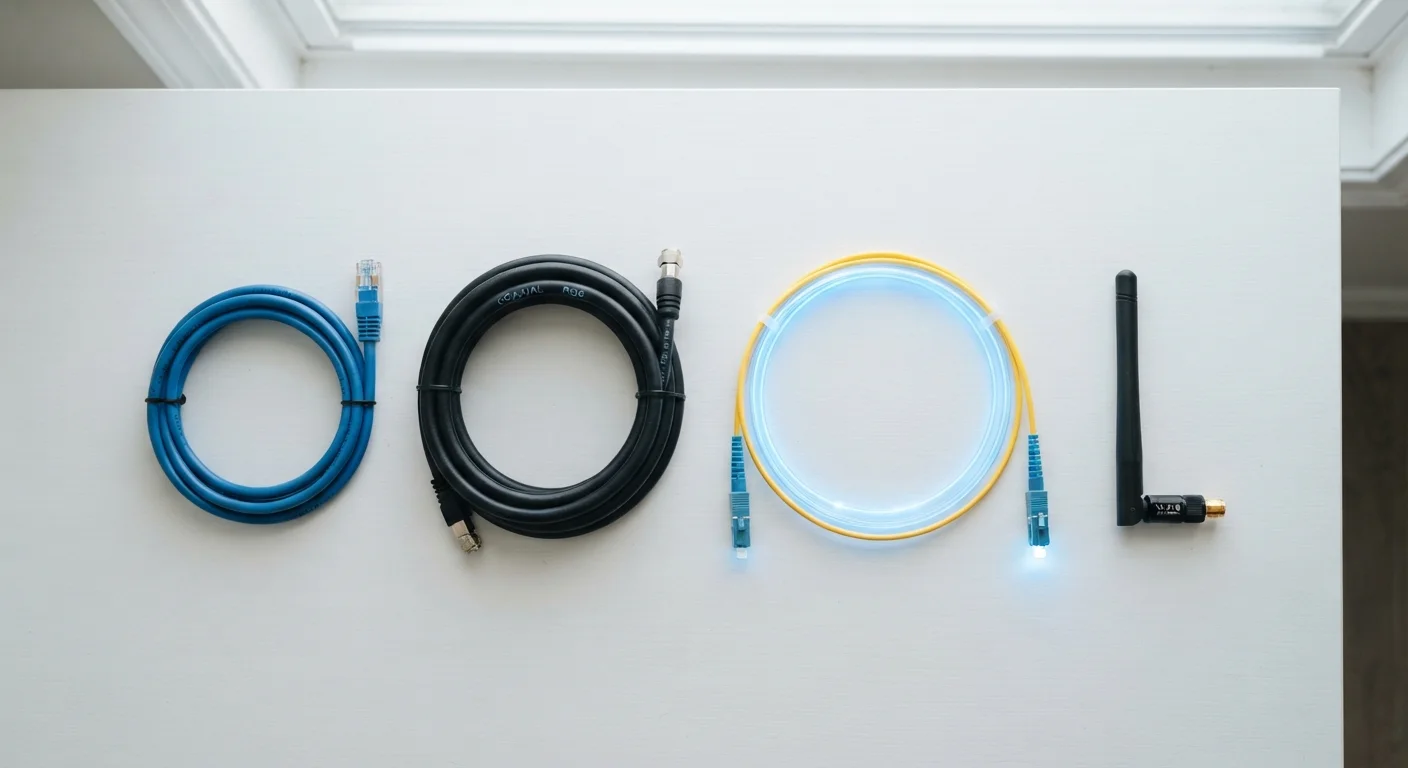
- Fibre optic offers the fastest and most consistent speeds but isn't available everywhere yet.
- Cable internet uses the same coaxial lines as TV and delivers strong speeds, though upload performance often lags.
- DSL runs over phone lines and is widely available but generally slower than fibre or cable.
- Fixed wireless sends a radio signal to a receiver on your home and is common in rural or underserved areas.
- Availability, not just speed, often determines which technology you can realistically choose.
Our Verdict
No single internet technology is universally superior — the right choice depends on what's available at your address and what you actually need it for. Fibre leads on speed and reliability where it exists; cable is a solid middle-ground for most households; DSL remains useful where other options haven't reached; and fixed wireless fills genuine coverage gaps, especially outside urban areas.
| Best for | Recommended |
|---|---|
| Heavy streaming, gaming, or remote work households | Fibre optic |
| Suburban households wanting fast downloads without fibre access | Cable |
| Budget-conscious users or those in older infrastructure areas | DSL |
| Rural or underserved locations with limited wired infrastructure | Fixed wireless |
Why the Technology Behind Your Connection Matters
When you sign up for home internet, the plan's price and advertised speed are the details front-and-center. But the technology delivering that connection — the physical or wireless infrastructure it travels over — shapes your real-world experience in ways the spec sheet doesn't fully capture.
Understanding what each connection type actually is helps you interpret what providers are offering, anticipate limitations, and ask better questions before committing to a plan. For a deeper dive into what speed numbers like Mbps and Gbps mean in practice, see our guide to internet speed numbers.
| Fibre Optic | Cable | DSL | Fixed Wireless | |
|---|---|---|---|---|
| Typical download speeds | 100 Mbps – 5+ Gbps | 25 Mbps – 1+ Gbps | 1 – 100 Mbps | 25 – 300 Mbps |
| Upload vs. download | Often symmetrical | Upload much slower | Upload much slower | Usually asymmetrical |
| Latency (typical) | Very low (1–5 ms) | Low–moderate (10–30 ms) | Moderate (20–50 ms) | Moderate (20–60 ms) |
| Infrastructure used | Glass/plastic fibre strands | Coaxial TV cable | Copper phone lines | Radio towers + receiver |
| Urban/suburban availability | Expanding but patchy | Widely available | Widely available | Limited in dense areas |
| Rural availability | Limited | Limited | More available | Often the main option |
| Weather sensitivity | Very low | Very low | Very low | Moderate |
Fibre Optic: Light Through Glass
Fibre optic internet transmits data as pulses of light through thin strands of glass or plastic. Because light can carry enormous amounts of data over long distances without much signal loss, fibre connections are capable of the highest speeds currently available to residential customers — often symmetrical, meaning upload speeds match download speeds.
This symmetry is increasingly important as more households video-call, upload large files, or run cloud-based tools. Fibre also tends to have lower latency (the delay between sending a request and receiving a response), which matters for gaming and real-time communication.
The main limitation is availability. Running fibre requires laying new cable infrastructure, which is expensive and time-consuming. Many suburban and most rural areas are still waiting for coverage.
Check Before You Assume Fibre Is Available
Even in cities where fibre has been deployed, coverage is often block-by-block rather than area-wide. Before counting on fibre, use your provider's address lookup tool or the FCC's broadband map to verify that your specific address is serviceable. Marketing language like 'fibre in your area' doesn't always mean your home qualifies.
Cable Internet: The TV-Line Connection
Cable internet travels over the same coaxial cable lines originally built to deliver television. An internet signal is layered onto the cable using a technology standard called DOCSIS (Data Over Cable Service Interface Specification). Modern DOCSIS versions support speeds that rival entry-level fibre plans.
Cable is widely available in suburban and urban areas and typically delivers fast download speeds. The catch is that upload speeds are often significantly slower than downloads — a deliberate design choice from the era when most users only downloaded content. If you regularly upload large video files or work with cloud storage, this asymmetry can be noticeable.
Cable is also a shared medium in your neighborhood. During peak evening hours, more users on the same local segment can cause speeds to dip. This isn't universal — infrastructure upgrades have reduced the problem considerably — but it's worth knowing. Our guide to diagnosing a slow connection can help you determine whether congestion is affecting your service.
DSL: Internet Over Phone Lines
DSL (Digital Subscriber Line) uses existing copper telephone wiring to carry internet data on a frequency range that phone calls don't use, so both can work simultaneously. This makes it highly accessible — if a home has phone line infrastructure, DSL is often possible without additional wiring.
Speed is DSL's primary drawback. Copper wire degrades over distance, so the farther your home is from the provider's nearest exchange, the slower your connection. Maximum speeds for most DSL plans are significantly lower than cable or fibre, and upload speeds are especially limited.
That said, for light internet use — email, standard-definition video streaming, web browsing — DSL can be perfectly adequate. It's also often the most affordable wired option, which matters in areas where competition among providers is limited.
~90%
US homes with access to fixed broadband
According to FCC broadband data, the vast majority of US housing units have access to at least one fixed broadband provider, though speeds and technology vary significantly by region.
~25%
Rural areas lacking high-speed wired internet access
FCC and NTIA data consistently show that a substantial portion of rural Americans lack access to high-speed wired connections, making fixed wireless a key alternative.
Fixed Wireless: Radio Signals, No Wires Required
Fixed wireless internet skips cables entirely. A provider installs a radio transmitter on a tower or tall structure, and a receiver (typically a small antenna or dish) is mounted on your home. Data travels through the air between the two points.
This approach makes fixed wireless practical in rural and semi-rural areas where laying cable is cost-prohibitive. Speeds range widely depending on the provider's infrastructure and the technology generation they're using — some newer networks deliver speeds comparable to entry-level cable plans.
Weather and line-of-sight can affect reliability. If there are significant obstructions between the tower and your receiver — dense trees, hills, other buildings — signal quality may suffer. Latency is also generally higher than wired connections, though modern fixed wireless networks have improved considerably on this front.
Fixed wireless is distinct from satellite internet (like traditional geostationary satellite services), which involves much longer signal distances and higher latency. If you're considering options in a low-coverage area, it's worth understanding that distinction. You can also learn more about what your ISP controls vs. what it doesn't when evaluating any provider.
Choosing Between Them: What to Actually Look For
The most important factor is simply what's available at your specific address. Comparing technologies only matters if you have a genuine choice among them. Start by checking which providers and connection types serve your location.
After availability, consider your household's actual usage patterns: the number of people, how many stream simultaneously, whether anyone works from home with heavy upload demands, and how sensitive you are to occasional slowdowns. These factors point toward which technology trade-offs matter most for you.
Equipment also plays a role. Each connection type requires a compatible modem or gateway device. Understanding the difference between a modem and a router is worth a few minutes of reading — our modem vs. router explainer covers this clearly. If you're thinking about changing providers after this comparison, the guide to switching internet providers walks through what to expect.
This article is for general informational purposes. Speeds, availability, and technology capabilities vary by provider and location. Always verify current offerings directly with service providers in your area.