

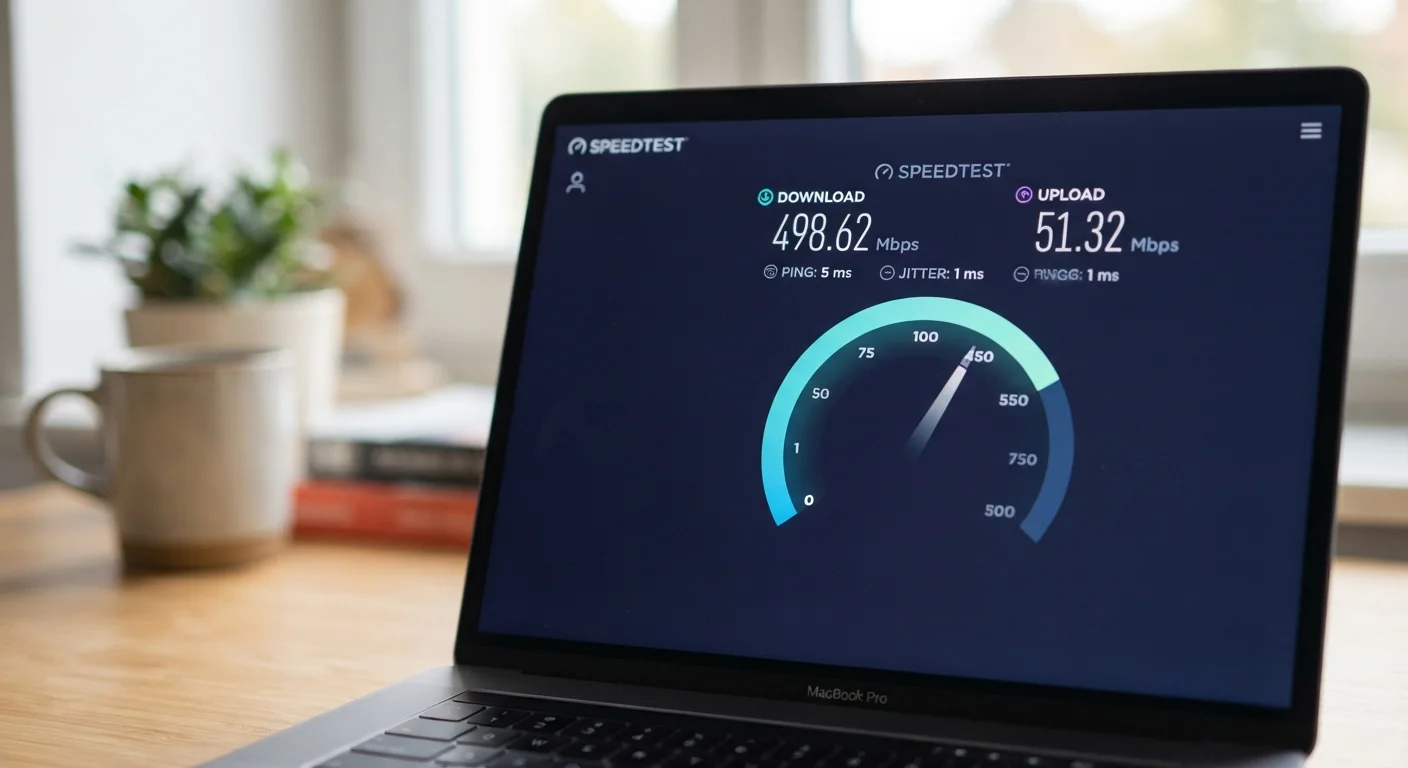
Key Takeaways
- Mbps and Gbps measure bandwidth — how much data your connection can carry at once, not raw speed.
- Download and upload speeds are typically asymmetric; most home plans prioritize download.
- Latency measures response delay in milliseconds and matters most for gaming and video calls.
- A higher plan number doesn't guarantee those speeds reach every device in your home.
- Your actual experience depends on bandwidth, latency, and network conditions working together.
Internet Speed Metrics
Internet speed is measured in bits per second — how many units of data your connection can move in one second. Mbps (megabits per second) and Gbps (gigabits per second) describe bandwidth, or how much data can flow at once. Latency is a separate measure of how quickly your connection responds to a request.
Bandwidth and latency are independent variables. A high-bandwidth connection can still have poor latency, and vice versa — they reflect different aspects of network performance.
Bandwidth vs. Speed: Clearing Up the Confusion
When people say "internet speed," they almost always mean bandwidth — and the two aren't quite the same thing. Bandwidth describes how much data your connection can carry at once, like the number of lanes on a highway. More lanes mean more cars (data) can move simultaneously, but they don't change how fast the cars are travelling.
Mbps stands for megabits per second. One megabit equals one million bits. Gbps stands for gigabits per second — one gigabit is 1,000 megabits. So a 1 Gbps connection can carry 1,000 times as much data per second as a 1 Mbps connection. Most residential plans in the US fall somewhere between 100 Mbps and 1 Gbps.
One number people frequently mix up: internet speeds are measured in bits, but file sizes are measured in bytes. There are 8 bits in a byte. That means a 100 Mbps connection downloads at roughly 12.5 megabytes per second — which is why a 1 GB movie file takes longer to download than the math on your plan might suggest. For a broader look at related terms, see the home network glossary covering 40 common internet terms.
Download Speed, Upload Speed, and Why They Differ
Every internet plan advertises two numbers: download speed and upload speed. Download is how fast data flows to your devices — streaming video, loading web pages, receiving files. Upload is how fast data flows from your devices — sending emails with attachments, joining a video call, backing up photos to the cloud.
Most residential plans are heavily asymmetric, offering much higher download than upload speeds. A plan might advertise 500 Mbps download but only 20 Mbps upload. This design reflects typical household patterns: most people consume far more data than they send. For the majority of users, this asymmetry goes unnoticed — until they try to video conference in 4K or upload large video files regularly.
~20 Mbps
Minimum download for 4K streaming
Netflix and similar services generally recommend around 15–25 Mbps per stream for stable 4K Ultra HD playback.
600+ ms
Typical latency for satellite internet
Traditional geostationary satellite internet services routinely show latency above 600 milliseconds due to the signal distance to orbit.
8 bits
Bits per byte — the conversion factor
Because internet speeds are quoted in bits while file sizes use bytes, a 100 Mbps plan delivers roughly 12.5 MB/s of actual file transfer throughput.
If your household relies heavily on video calls, live streaming, or remote work involving large file transfers, paying attention to upload speed alongside download becomes genuinely important. These are aspects that common internet speed myths often gloss over entirely.
What Latency Actually Means — and When It Matters
Latency is the time it takes for a signal to travel from your device to a server and back. It's measured in milliseconds (ms) and is completely separate from bandwidth. You can have a 1 Gbps connection and still suffer from high latency — meaning responses feel sluggish even though data can flow quickly once it starts moving.
Think of it this way: bandwidth is how wide the pipe is; latency is how long the pipe is. A very wide but very long pipe still takes time to fill.
“Latency, not bandwidth, is often the limiting factor in how responsive an internet connection feels for everyday interactive tasks. Bandwidth matters when you're moving large amounts of data; latency matters when you need a fast reply.”
— Network Engineering Principles, Foundational concept in telecommunications and network design
Latency matters most in real-time applications. Online gaming is the most sensitive — even 80 ms of latency creates noticeable input lag. Video calls become choppy above roughly 150 ms. For streaming pre-recorded video or downloading files, latency barely matters because the data can buffer ahead of playback.
Connection type dramatically affects latency. Fiber and cable connections typically achieve 5–20 ms. DSL runs higher, commonly 20–50 ms. Satellite internet — including many fixed-broadband satellite services — can exceed 600 ms due to the distance signals travel. Understanding the differences between connection types helps explain why identical plan speeds can feel very different in practice.
Why Your Actual Experience Doesn't Match the Plan
Advertised speeds represent a ceiling under ideal conditions — not what your devices reliably receive. Several factors create the gap between the plan and reality.
- Router performance: An older or underpowered router can bottleneck a fast connection. A 1 Gbps plan routed through a dated router may deliver far less.
- Wi-Fi vs. wired: Wireless connections introduce signal loss from walls, distance, and interference from other devices and networks. A wired ethernet connection almost always performs closer to your plan's rated speeds.
- Device hardware: Older laptops and phones may have network adapters that cap out well below your plan speed.
- Network congestion: Your ISP's infrastructure is shared. During peak evening hours, available bandwidth per household can drop significantly — a pattern explained in detail in why your Wi-Fi slows down at night.
Test Wired First, Then Wireless
Connect your computer directly to your router with an ethernet cable before running a speed test. This removes Wi-Fi variables and gives you the most accurate picture of what your ISP is actually delivering. If wired speeds look good but wireless feels slow, focus troubleshooting on your router placement, channel settings, or hardware rather than your internet plan.
If you want to know what your connection is actually delivering, run a speed test using a wired connection directly to your router. That result is your true baseline. If it falls well short of your plan, the issue likely sits with your ISP or modem. If the wired test looks fine but Wi-Fi is slow, the bottleneck is in your home network. For a step-by-step approach to tracking down the cause, see diagnosing a slow or dropping home connection.