

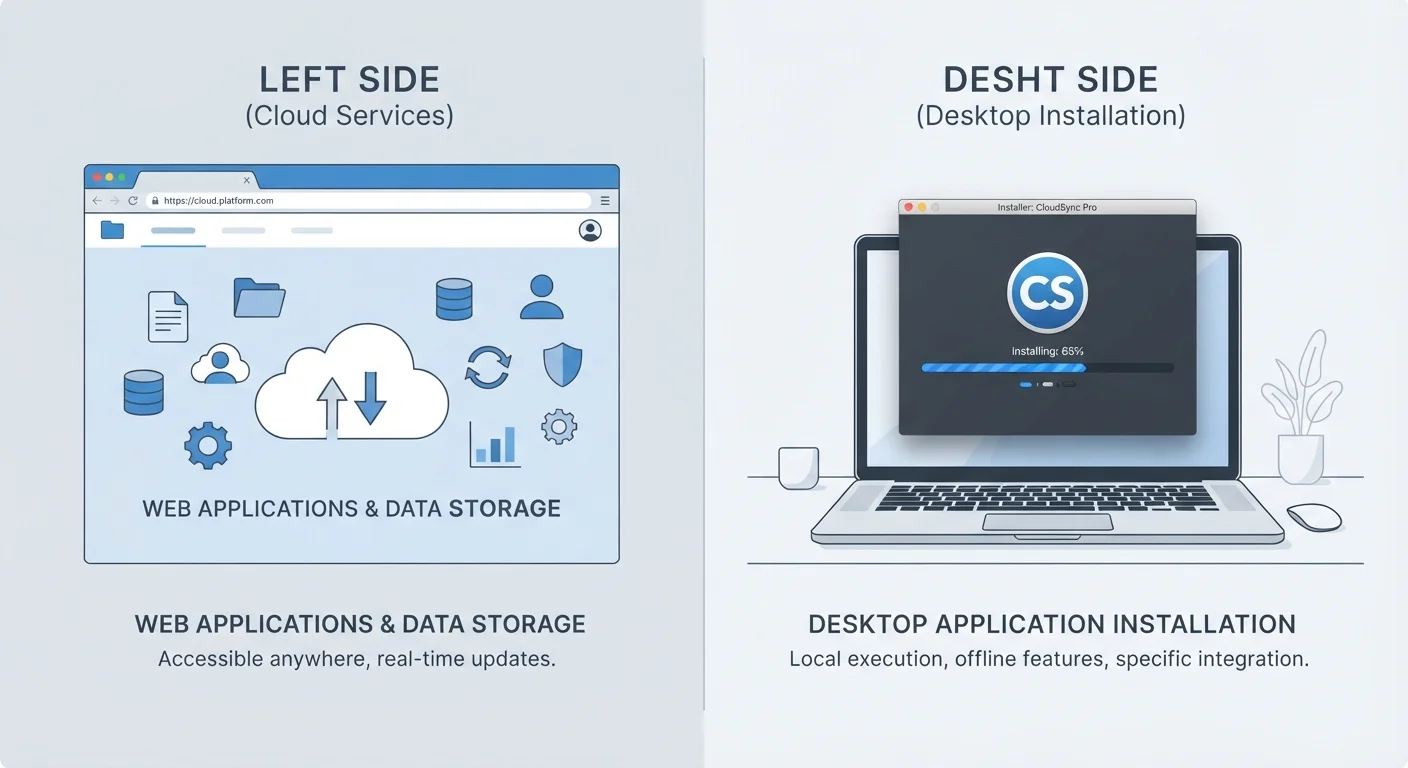
Key Takeaways
- Browser-based apps run in your web browser and require an internet connection to function fully.
- Installed software lives on your device and typically works without an internet connection.
- Web apps update automatically; installed software may require manual updates or a subscription.
- Installed software usually offers more processing power for demanding tasks like video editing.
- Your choice often depends on how you work — solo or collaboratively, at one desk or across devices.
Option A
Browser-Based Software (Web Apps)
The always-updated, works-anywhere option.
Best for: People who need access from multiple devices or who share work with others in real time.
Option B
Installed Software (Desktop/Local Apps)
The full-featured, works-offline powerhouse.
Best for: People who need maximum performance, offline reliability, or deep control over their files and data.
If you collaborate with others and switch between devices frequently
Browser-Based Software (Web Apps)
Web apps let multiple people work on the same file simultaneously and are accessible from any device with a browser — no installation required.
If you work with large files, need offline access, or do resource-heavy tasks
Installed Software (Desktop/Local Apps)
Installed software uses your device's full processing power and doesn't rely on an internet connection, making it better suited for intensive or offline work.
If you want to avoid managing software updates and compatibility
Browser-Based Software (Web Apps)
Web apps update silently in the background — you always get the latest version without downloading patches or worrying about version conflicts.
If data privacy and local storage are a priority for you
Installed Software (Desktop/Local Apps)
Your files stay on your own machine rather than a third-party server, giving you more direct control over where your data lives.
The Core Difference: Where the Software Actually Lives
When you open a browser-based app — think of a web-based word processor or an online spreadsheet tool — the software isn't stored on your computer. It runs on a remote server, and your browser is essentially a window into it. Your internet connection carries data back and forth in real time.
Installed software works the other way around. When you download and install a program, it copies files directly onto your device. Your computer does the heavy lifting locally, and an internet connection is optional for most tasks.
This difference in where the software runs shapes almost everything else: how it updates, how fast it feels, whether it works offline, and who controls your data. For a related decision about which kind of device makes sense for how you work, see our guide to choosing between a tablet and a laptop.
| Criterion | Browser-Based Software | Installed Software |
|---|---|---|
| Where it runs | Remote server, via browser | Directly on your device |
| Internet required | Yes, for most functions | Not typically |
| Updates | Automatic, no action needed | Manual or subscription-managed |
| Performance ceiling | Limited by browser and connection | Full use of device hardware |
| Collaboration | Real-time, built-in | Usually requires extra steps |
| Data storage location | Provider's servers (cloud) | Your own device |
| Device flexibility | Any device with a browser | Only devices where installed |
What Web Apps Do Well — and Where They Fall Short
Browser-based apps shine in collaborative settings. Multiple people can open the same document at once, see each other's edits in real time, and avoid the confusion of emailing file versions back and forth. They're also device-agnostic — log in from a work computer, a personal laptop, or a library terminal and you pick up exactly where you left off.
Updates happen automatically in the background, so you're always using the current version without doing anything. That convenience also means you have less control: the provider decides when features change, and you're dependent on their servers staying online.
Performance can be a constraint too. Web apps run within the limits of your browser and your internet speed, which makes them less suitable for tasks that demand serious processing power — large video files, complex 3D models, or enormous data sets.
~70%
Office workers using cloud/web apps regularly
Industry surveys consistently show the majority of knowledge workers rely on at least one web-based productivity tool as part of their daily workflow.
Seconds
Time to start using a web app
Browser-based apps typically require only a login — no download, installation, or compatibility check — reducing setup friction significantly compared to installed software.
What Installed Software Does Well — and Where It Falls Short
Installed software has a reliable edge in raw performance. Video editing, audio production, engineering simulations, and similar tasks benefit from direct access to your device's processor, memory, and storage — none of which are mediated by a browser or a network connection.
It also works offline. If your internet goes down or you're on a long flight, an installed application keeps running. Your files stay on your device by default, which gives you more direct control over your data.
The trade-offs are real, though. Installation takes time, updates require action on your part, and compatibility with newer operating systems isn't guaranteed indefinitely. If you're weighing how pricing models factor in, our comparison of software subscriptions vs one-time purchases covers that dimension directly.
Some Software Is Both
A growing number of applications blur this line. Some installed apps sync your data to cloud servers, and some web apps offer a limited offline mode that stores data locally until your connection returns. When evaluating a specific tool, it's worth checking exactly where your data is stored and what happens if you lose internet access or cancel a subscription.
How to Think About the Choice for Your Situation
There's no universal answer here — the right fit depends on how you actually work. Ask yourself a few practical questions: Do you need to access this tool from more than one device? Do you share files or collaborate with others? How reliable is your internet connection? Does the task demand serious computing power?
Many people end up using both types. A web app handles everyday email and shared documents, while an installed program manages photo editing or accounting. That's a perfectly reasonable setup, and it's worth thinking about how you'll keep things organised. Our article on keeping personal and work apps separate on one device offers practical strategies for managing that overlap.
If your work involves organising structured data, the broader question of what kind of tool fits the job also matters — our spreadsheets vs databases comparison is a useful companion read.